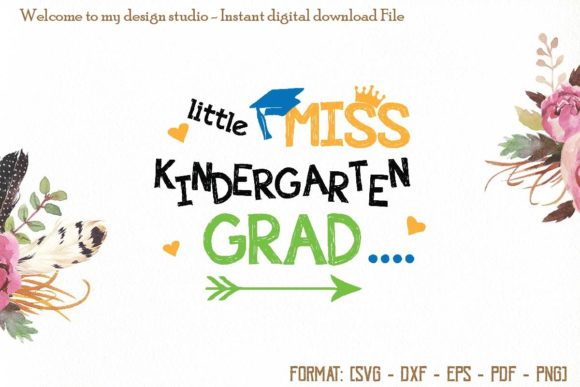
Choosing the Right Little Miss Grad SVG for Back to School Projects
Whether you are crafting a graduation gift or preparing for the new school year, the right digital design file can make all the difference. Little Miss Grad SVG and Back to School SVG files have become staples for anyone who enjoys personalizing apparel, accessories, or home decor. These versatile files allow you to create everything from a simple t-shirt transfer to a durable vinyl sticker for a laptop or water bottle. But not all SVG collections are created equal, and overlooking a few key details can turn a smooth project into a frustrating experience.
This article walks through common pitfalls people encounter when selecting and using these files, and how to ensure your project turns out exactly as you envision.
Understanding Your File Formats Before You Buy
One of the most frequent mistakes is assuming that a single file type works for every machine and every material. Little Miss Grad SVG collections typically include multiple formats, but many beginners grab the wrong one and wonder why their machine won't read it.
What Each Format Actually Does
A reliable set should include PNG, SVG, EPS, DXF, and PDF. Here is what each format is best suited for:
- SVG (Scalable Vector Graphics) — The go-to format for most cutting machines, including Cricut and Silhouette. It scales without losing quality and handles cut lines cleanly.
- PNG (Portable Network Graphics) — A raster image with a transparent background, ideal for previewing your design or using in mockups. Not for cutting.
- EPS (Encapsulated PostScript) — Works well with professional design software like Adobe Illustrator. Useful if you plan to modify colors or resize significantly.
- DXF (Drawing Exchange Format) — Often used with Silhouette Studio and some laser cutters. It carries vector data but can be less intuitive for beginners.
- PDF (Portable Document Format) — Great for printing and tracing. Some users prefer it for manual cutting or as a backup reference.
If you load a PNG into your cutting software and try to cut it, the machine will attempt to trace the outline, often resulting in jagged edges or incomplete cuts. Always use the SVG or DXF for cutting and the PNG for visual reference.
Compatibility Pitfalls With Silhouette and Cricut
Another area where people get tripped up is software compatibility. A file labeled as compatible with Silhouette Studio Standard Edition, Silhouette Designer Edition, Silhouette Business Edition, and Cricut Design Space should work seamlessly, but only if you import it correctly.
Avoiding the Wrong Import Method
In Silhouette Studio, the Standard Edition does not support SVG import natively. You need to use the DXF or PDF file from the collection. Many users buy a file, try to open the SVG in the free version, and get an error. They then assume the file is defective. The fix is simple: use the DXF or upgrade to Designer Edition if you prefer working with SVGs.
For Cricut Design Space, the SVG format is usually the best choice. However, be sure to upload it as a cut file rather than a print-then-cut image, especially if you plan to use iron-on vinyl. Selecting the wrong upload option can add an unnecessary white background or force your machine to print before cutting.
When you purchase from a store like Welcome to Svg Leader, double-check the product description to see which formats are included. If you are unsure which one to use, start with the SVG for Cricut and the DXF for Silhouette Standard Edition.
Choosing the Right Material for Your Project
Using a high-quality file on the wrong material is a common disappointment. A Little Miss Grad SVG design that looks crisp on screen can turn out blurry or peel after one wash if you pair it with a low-grade transfer material.
Iron-On Vinyl vs. Adhesive Vinyl
For fabric items like t-shirts, bags, or pillowcases, iron-on vinyl (heat transfer vinyl or HTV) is the standard. Adhesive vinyl is meant for smooth, hard surfaces like water bottles, laptops, or window decals. Mixing them up leads to peeling or poor adhesion.
When applying heat transfer to a pillowcase or tote bag, remember that textured fabrics require a pressing pillow or a thicker layer of vinyl to adhere fully. Light-colored fabrics work best with standard HTV, while dark fabrics may need a white underlayer or opaque vinyl to keep the colors vibrant.
If you are making a cool vinyl sticker for a notebook or a laptop, adhesive permanent vinyl is your best bet. Ensure the surface is clean and dry before applying. Many people skip this step and then wonder why the sticker lifts at the edges.
Overlooking the Size and Scale of Your Design
One detail that trips up both beginners and experienced crafters is sizing. A file that looks perfect at 4 inches wide may lose detail or become illegible at 2 inches, especially if the design has thin lines or small text.
Testing Scale Before Cutting
Before you cut an entire batch of shirts or bags, do a test cut on a scrap piece of vinyl. This reveals whether any letters or details become too small to weed properly. For Back to School SVG designs that include tiny stars, graduation caps, or text, keep the design at least 3–4 inches in its smallest dimension to preserve readability.
If you need to shrink the design significantly, consider simplifying it first by removing extra layers or merging elements. Some SVG collections include layered files that separate colors. When you resize these, make sure all layers scale proportionally. Otherwise, you may end up with misaligned pieces.
Weeding and Application Mistakes
Weeding — the process of removing excess vinyl from your cut design — is where patience pays off. Rushing this step often results in lifting small details like letters or stars along with the waste vinyl.
Tips for Clean Weeding
Use a weeding hook or precision tweezers for tight curves and inner cutouts. For a Little Miss Grad SVG design with a bow or a cap tassel, work from the outside in. Remove larger sections first, then tackle the narrow spaces. If a piece lifts accidentally, you can sometimes press it back into place, but it is better to slow down and avoid the mistake entirely.
When applying heat transfer to fabric, preheat your surface for a few seconds to remove moisture and wrinkles. Place your weeded design, cover with a protective sheet or parchment paper, and apply firm, even pressure. Many people press too lightly or move the iron around too quickly, which leads to uneven adhesion. A steady press of 10–15 seconds at the recommended temperature usually gives the best result.
Avoiding Scorch Marks and Melting
Another common oversight is using too high a heat setting or leaving the iron in one spot too long. This can scorch the fabric or melt the vinyl backing. Always follow the vinyl manufacturer's guidelines, and test a small area first if you are working with a delicate fabric like polyester or a pre-treated bag.
Storage and Reusability of Digital Files
Digital files do not wear out, but they can become disorganized or lost if you do not manage them well. A collection that includes PNG, SVG, EPS, DXF, and PDF gives you the flexibility to use the design years later on a different machine or material. But if you download the files and forget where you saved them, you lose that advantage.
Organizing Your SVG Library
Create a folder structure on your computer or cloud storage dedicated to your SVG purchases. Label each folder with the collection name — such as "Little Miss Grad SVG" — and keep the ZIP file intact as a backup. Inside each folder, you can organize by format or by project type. This saves time when you want to reprint a design for a second child, a friend, or a repeat order.
Some stores, including Welcome to Svg Leader, allow you to redownload your purchases if you create an account. Take advantage of this feature, but still keep your own local copies in case the store's server changes or your access is lost.
Licensing and Commercial Use
If you are a small business owner or a freelancer who plans to sell items made with these files, check the license terms before you start production. Many SVG collections are sold for personal use only, while others include a commercial license that allows you to sell finished products like t-shirts, bags, or pillowcases.
Understanding What Is Allowed
A typical commercial license permits you to use the design on physical products you sell, but it does not allow you to resell the digital file itself or share it with others. Some licenses limit the number of sales or require credit to the designer. Reading the fine print saves you from legal headaches later.
If you buy a Back to School SVG set from a reputable store, the product page usually states the license type. When in doubt, contact the seller directly. Most are happy to clarify. Respecting these terms also supports the designers who create the artwork you use.
Final Checks Before You Press That Iron
Before you commit your design to a shirt or bag, take a moment to review the entire workflow. Check that the file format matches your machine, the material is appropriate for the application method, and the size suits your project. Test on scrap material whenever possible. These small steps separate a professional-looking finished product from a disappointing misprint.
Little Miss Grad SVG and Back to School SVG collections offer endless possibilities for personalized gifts, classroom items, and seasonal decor. By understanding your file formats, machine compatibility, material choices, and application techniques, you will get the most out of every design you purchase. Whether you are a hobbyist making one shirt or a small business fulfilling a dozen orders, attention to these details ensures your finished pieces look good and last long.
Thank you for taking the time to learn the right approach. With the right preparation, every project becomes something you can be proud to give, wear, or sell.